
Every Species I Have Seen
Every species you have ever recorded, set in type.
Drop your iNaturalist observations export below. It is read in your browser and never leaves it. A register of the species you have recorded renders in a second — numbered, grouped under the families your export carries, with your first and latest species marked.
Previewing and the share image are free. The print-ready PDF is $19, one payment.
How do I export my iNaturalist observations?
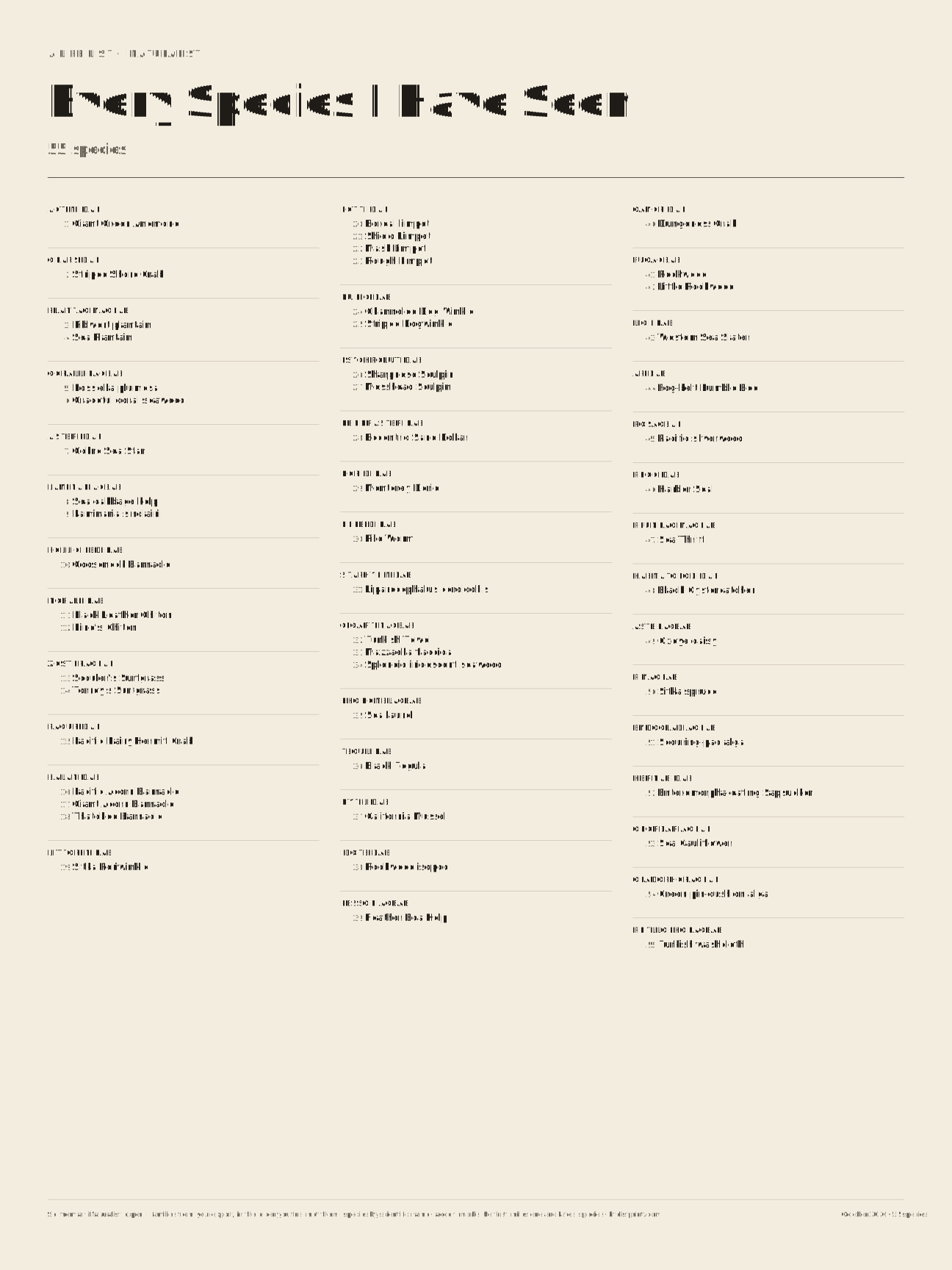
A PNG, 1080 × 1350, to post or send.
One payment. Every size and palette for this list. Re-open this page on the same device to render again.
Payment goes to Made for This Day through Stripe.
What it is
A typeset register, not a collage. The species you have recorded on iNaturalist, grouped under the families your own export carries and numbered down the margin like a ledger. Your first species, your 100th and the milestones after it, and your latest are each marked with the date.
What it counts
One entry for each species you have an observation of, identified to species. By default every such observation counts, casual ones included, because that is how the Species count on an iNaturalist profile counts. iNaturalist’s open-source code works that number out without a quality filter, and on 15 October 2026 the profile’s number matched the public API’s unfiltered count for two observers (exactly for one, within one for the other). We did not check the Life List page, which is a different screen. The box above the poster changes the choice to Verifiable (research-grade and needs-ID observations, casual left out) or to Research grade only, and the line under the drop zone always says which one was used and how many species it gave.
What “casual” means is iNaturalist’s own rule, from its help page: iNaturalist counts an observation as casual when it has no date, no location, or no photo or sound; when it shows a human or a captive or cultivated organism; or when the community votes that its date or location is inaccurate, that the organism is not wild, that it shows no evidence of an organism or none from the last hundred years, that its evidence is of unrelated subjects or was altered by AI, that it needs no more IDs and sits at family level or above, or that the observer opted out of the community ID and the two IDs conflict.
Subspecies and varieties count under their species. Observations identified only to a genus or a larger group, and named hybrids, are not species and are left off; the page says how many. iNaturalist’s own Species count does include identifications at genus or above that have nothing beneath them, so its number can be larger than the one on the poster, and the page says by how much for your file. Families are the ones in your export, in the order you first met them, with the species in each family by scientific name. Nothing is looked up elsewhere: if your export has no family column, the species are grouped under the next larger group it has. How to export your observations says what the file needs.
What you get
- Free: a share image of your poster, 1080 × 1350, to post or send.
- $19: the print-ready PDF in six sizes — 11×14, 18×24 and 24×36 inches, A3, A2 and A1 — in four palettes, plus a print-shop version with bleed and crop marks. Vector text with the fonts embedded, so it prints sharp at any size. Print the White palette at home, or send the print-shop file to any poster printer.
Your file stays yours
The page parses your CSV in your browser. There is no upload and no account. Payment happens on Stripe’s page, which asks for an email address for your receipt; when you come back, the PDF is made on your own machine from the file you already opened. Only what is in the file you drop in is used: its names, dates and places. No photographs are read or shown.
Questions
Where is my iNaturalist export?
On inaturalist.org, in a web browser. The steps quote the words iNaturalist’s staff and moderators use for each link and button, and say plainly which ones we could not read ourselves.
My count here differs from iNaturalist’s.
The poster counts species. iNaturalist’s Species count also counts identifications at genus or above that have nothing beneath them, and the line under the drop zone says how far apart the two numbers are for your file. Try the other choices in the box above the poster: each shows the number of species it gives. If your export was made with iNaturalist’s “Verifiable” box checked, it holds no casual observations, so All observations and Verifiable then give the same number.
Why are some species named in italics?
Your export gives a common name for most species. When it has none, the scientific name is set in italic in its place.
Does the poster show where I saw things?
Only if you choose First seen: Date and place. The places are printed exactly as your export gives them, so if a place in your file is a precise one, such as a street or an address, it will print that way. Look at the preview before you print.
Which size should I print?
The largest sheet you have room for. The layout is the same at every size, so a bigger sheet means bigger type, and the note under the controls gives the size of the names in points for the sheet you picked.
Will it print at home?
Choose the White palette. 11×14 is larger than Letter, so print it fit-to-page for a desk copy, or take the print-shop file to a copy shop for the real thing.
Do you keep my list?
No. Nothing is uploaded, so there is no copy on a server. Close the tab and it is gone from here — unless you go on to pay, in which case your browser keeps the file until you clear this site’s data, so the PDF can be made when you come back from Stripe.
Something is wrong with my PDF.
Reply to your Stripe receipt and say what happened. It gets fixed or refunded.